A useful LLM Clips Editor does not need to operate a timeline directly. It can begin by translating an editor's written brief into a proposed edit plan: which source to use, which interval to inspect, what captions to draft, and what questions remain unresolved. That plan becomes valuable when another component can validate it and a human can approve it. Fluent language alone is not enough to make an instruction safe or correct.
This guide proposes a structured planning workflow, not an executable service available on this website. The LLM Clips Editor overview introduces the concept. Here, the goal is to make natural-language suggestions inspectable without confusing a model's proposed answer with a verified instruction to render or publish media.
Turn a creative brief into explicit constraints
Start with a brief that explains the audience, the purpose, and the material the editor is allowed to use. “Make this exciting” leaves too many decisions unstated. A more useful request might ask for a self-contained explanation of a technique, preserve the speaker's qualification, and avoid footage marked private. Specify whether the model may suggest several candidates or should return one plan with unresolved questions.
Separate hard constraints from preferences. A source ownership restriction is not interchangeable with a preference for energetic pacing. A required review step should not disappear because a prompt asks for a faster workflow. Keep these controls in the application design rather than relying on a conversational reminder. The model can explain how a candidate fits the brief, but it should not be the authority that grants access to additional footage.
Define a plan that another system can inspect
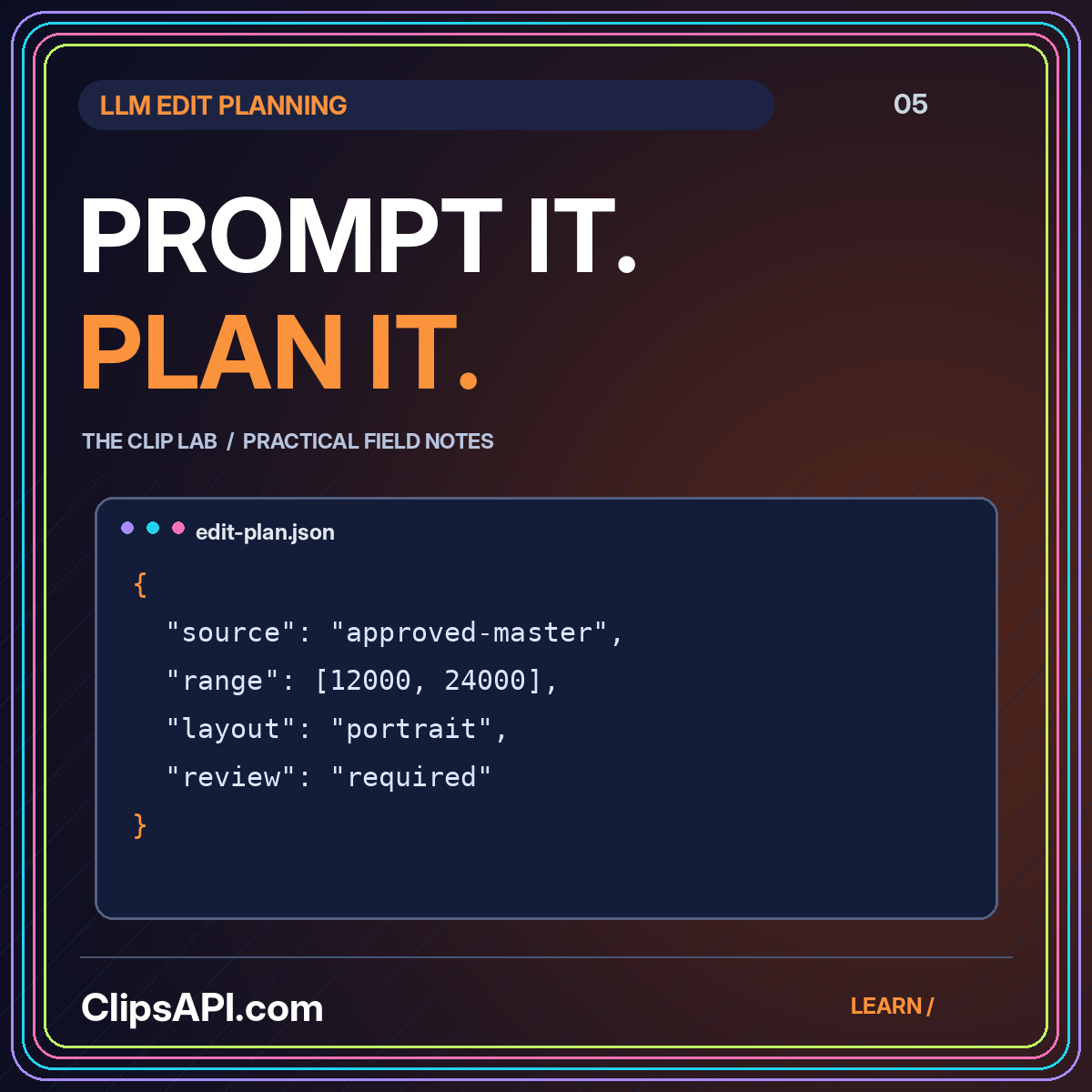
A proposed plan might contain a source identifier, a source version, a selected interval, an intended output layout, caption drafts, and review notes. Give every field a clear purpose. Avoid a large free-text field called “instructions” if downstream software is expected to execute it. The plan should describe a limited set of approved operations rather than inviting arbitrary commands or unrestricted file access.
The JSON Schema object reference explains how properties, required fields, and additional-property rules can constrain a JSON object's structure. For example, declaring properties does not automatically make them required, and additional properties are allowed unless constrained. Those details are useful when designing a validator. Structural validation still does not establish that a suggested excerpt preserves meaning or that an asset is authorized.
Validate relationships, not only field types
A start time and an end time can both be valid numbers while describing an impossible range. A source identifier can be a valid string while pointing to media outside the current workspace. After validating the shape of a plan, validate its relationships against trusted records. Check that the source exists, the requested version is available, the end follows the start, and the interval fits the source.
For a proposed caption plan, verify that each caption belongs to the selected interval and that its text does not introduce claims absent from the source. For a framing suggestion, verify that the coordinates describe a meaningful region. Reject unknown layout names instead of guessing what the model intended. Provide a specific validation message so the editor can repair a plan without recreating the creative brief from scratch.
Keep evidence next to every suggested decision
Ask a planning system to explain why an interval was chosen and which source evidence supports it. An explanation such as “the speaker completes the three-step answer here” is more reviewable when it links to actual transcript segments. Preserve the original wording beside the proposed caption draft so a reviewer can see whether a qualification, number, or proper noun has changed.
Do not treat a confident explanation as a substitute for evidence. A model may produce a plausible rationale for a poor selection. Give reviewers access to the surrounding source and let them mark unsupported suggestions explicitly. The AI highlight workflow describes this evidence-first approach at the candidate-selection stage. The same discipline should continue when a candidate becomes a detailed edit plan.
Use a two-stage approval boundary
Separate planning approval from publication approval. In a proposed workflow, the first approval permits a renderer to produce an internal preview from an authorized source. The second approval permits a particular output version, title, and destination to be published. A model-generated plan should not carry either permission automatically. These actions have different consequences and should be visible as different decisions.
Preserve the identity of the artifact that was approved. If the text, crop, or source range changes, generate a new plan version and obtain the necessary review again. This avoids an ambiguous state where someone approved an earlier draft but a later version inherited its status. Make the change summary readable: “caption corrected” and “source interval extended” tell reviewers more than an unexplained version number.
Treat source content as untrusted input
A transcript or on-screen caption can contain words that look like instructions. Your proposed system should treat those words as source material, not as permission to change the task. Keep the allowed operations, workspace boundary, and publication controls in trusted application logic. Do not let an instruction discovered inside a video grant access to files, external services, or private information that the editor did not authorize.
Restrict the renderer to a known operation vocabulary. A field requesting a crop should become validated crop parameters, not a shell command assembled from generated text. A source reference should resolve through an approved asset registry, not through an unrestricted URL supplied by a model. These are design safeguards for an implementation; they are not a claim that this static website performs any such processing.
Design useful failures and revision prompts
An editor benefits from knowing why a plan could not be accepted. Distinguish an unavailable source from an unsupported operation and an unclear creative brief. A validation failure can ask for a narrower time range without pretending that the rest of the plan is wrong. A content review can request additional context without treating the original transcript as invalid. Different failures call for different corrective actions.
For a proposed revision workflow, preserve the previous plan and ask for a specific change against that version. “Keep the approved source and extend the ending to include the qualification” is more controlled than asking the model to start over. Show a difference view in a real application, or provide a plain written comparison in a manual workflow. Reviewers should not have to rediscover what changed by watching several nearly identical exports.
A hypothetical plan review
An editor requests a short explanation from an authorized interview. The model proposes one interval, two caption blocks, and a portrait layout. Structural validation passes, but source validation finds that the end point exceeds the registered duration. The plan is returned with that precise error. After correction, the editor notices that the opening pronoun lacks context and extends the range. Only the revised plan proceeds to an internal preview, and publication remains a separate decision.
A practical acceptance exercise
A useful early test is to prepare deliberately invalid plans: an unknown source, a reversed interval, an unsupported crop, an extra operation, and a caption outside the selected range. Write the expected rejection for each one. Then prepare a structurally valid plan with a misleading excerpt and confirm that human review can still reject it. The exercise demonstrates why machine validation and editorial approval are complementary rather than competing definitions of correctness.
Conclusion: use language to propose, structure to constrain
An LLM-assisted editor is most useful when a creative brief becomes an evidence-backed, versioned plan rather than an unchecked command. Define limited operations, validate both structure and meaning, preserve revision history, and keep public distribution behind deliberate approval. Continue with the Clips API foundations guide to connect approved plans to source records, recoverable jobs, and predictable outputs.